Generate
Enter the complete destination URL, choose the finished size, confirm the nozzle check, and download the centered DXF.
Fusion-ready geometry
Print-friendly
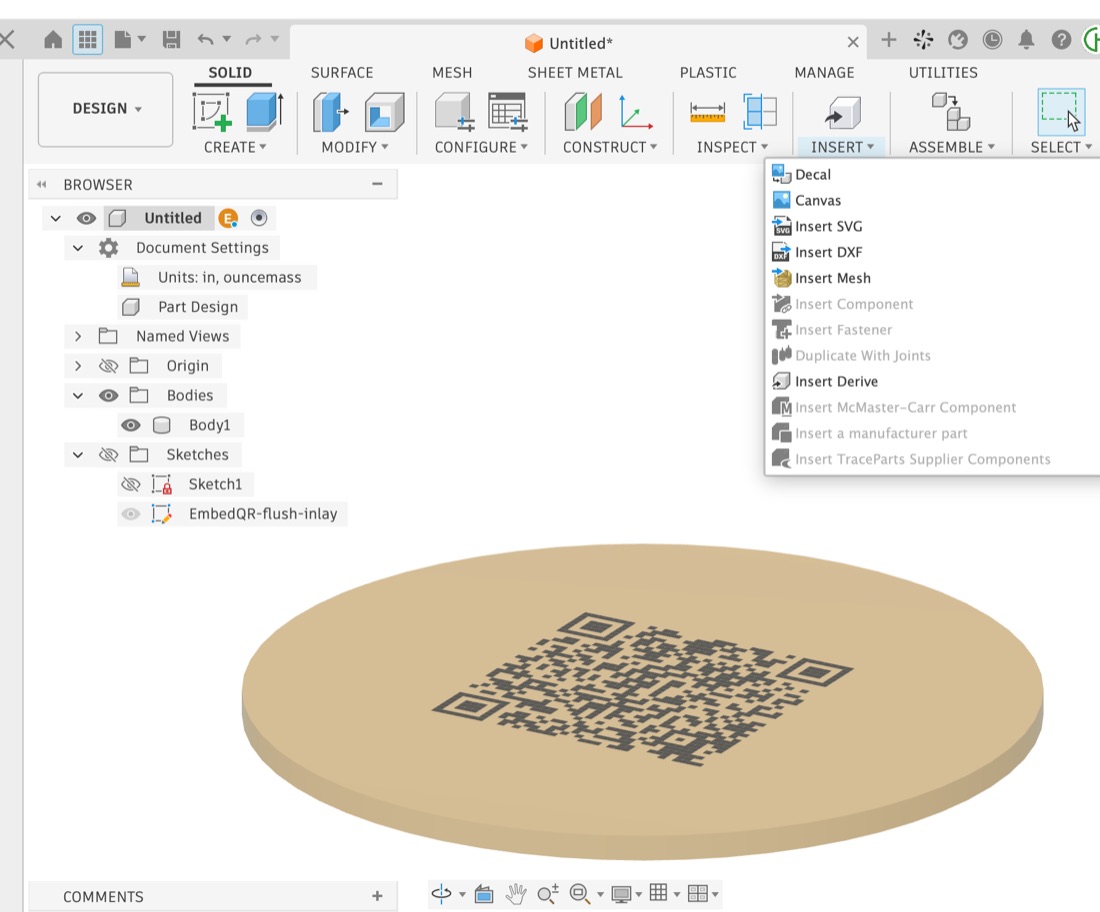
Select the target face in Fusion, insert the DXF, then extrude the profiles Symmetric by exactly 0.0005 in and Join.
Flush face-down inlay workflow
Enter the complete destination URL, choose the finished size, confirm the nozzle check, and download the centered DXF.
Select the target surface in Fusion 360, then use Insert → Insert DXF. The QR center is X 0, Y 0 for predictable alignment.
Extrude every QR profile Symmetric by exactly 0.0005 in and Join. Apply a black appearance to the selected QR faces.
Export one body as 3MF, remap tan and black in Bambu Studio, place the QR face down, and inspect layer one before printing.
Built in the real world
EmbedQR was shaped by actual Fusion 360 and Bambu Studio testing—not by a committee arguing over rounded corners.

Complete video tutorial
Follow the real production process from EmbedQR through face coloring, 3MF export, filament remapping, slicing, and the finished flush inlay.
Open on YouTube ↗Frequently asked questions
DXF creates closed sketch profiles that Fusion 360 can extrude and join directly into a solid part. A decal changes appearance but does not create printable inlay geometry.
Testing found that 0.0005 in preserves separate face colors through Fusion and Bambu Studio while rounding into one sliced layer. Greater bed-facing heights can create unsupported toolpaths.
No. The requested size is the encoded QR geometry edge-to-edge. Leave suitable clear background around the code when positioning it on the part.
No. QR generation and DXF creation happen locally in your browser. EmbedQR does not send the entered URL to a server.
EmbedQR is designed for current versions of Chrome, Safari, Edge, and Firefox on macOS and Windows.
Keep the pixels caffeinated
If this tool saved you from hand-selecting a small nation’s worth of QR squares, you can toss something in the jar.